

Overview
CodeAlive AI Code Review automatically analyzes your pull requests, providing comprehensive feedback on code quality, security, performance, and best practices. Get instant, consistent reviews that help your team ship better code faster.Key Features
Automatic Reviews
Reviews trigger automatically on PR creation and updates
Multi-Language Support
Support for 19+ programming languages
Customizable Focus
Configure review agents for specific concerns
Team Consistency
Maintain coding standards across your organization
Getting Started
1
Connect Your Repository Provider
Choose your version control platform:
- GitHub
- GitLab
Navigate to Providers → GitHub in your CodeAlive dashboard
2
Configure Review Settings
Set up your review preferences in the PR Reviews section
3
Create a Pull Request
CodeAlive will automatically review new PRs and updates
GitHub Integration
Installing the GitHub App
1
Access GitHub Settings
Navigate to Providers → GitHub in your CodeAlive dashboard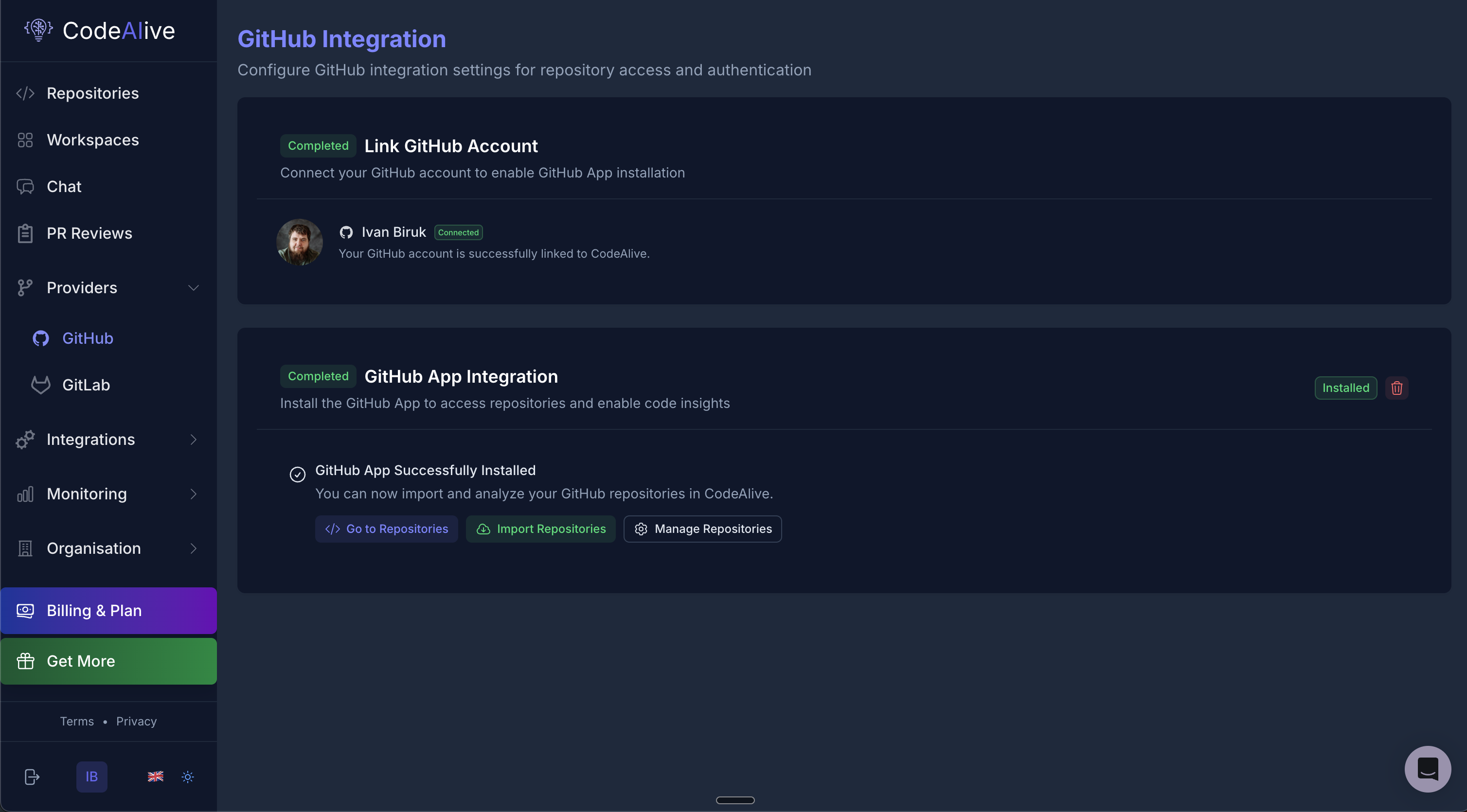
2
Install GitHub App
- Click “Install GitHub App”
- You’ll be redirected to GitHub
- Select your organization or personal account
- Choose repository access:
- All repositories - Recommended for organization-wide coverage
- Selected repositories - Choose specific repositories
3
Authorize Installation
- Review the requested permissions
- Click “Install & Authorize”
- You’ll be redirected back to CodeAlive
- The status will show “GitHub App Successfully Installed”
4
Import Repositories
Once connected:
- Click “Import Repositories” to add repos for indexing
- Select the repositories you want to review
- Wait for initial indexing to complete
GitLab Integration
Setting Up GitLab Access
1
Create Personal Access Token
In GitLab:
- Go to User Settings → Access Tokens
- Create a new token:
- Name: CodeAlive
- Expiration: Set as needed
- Scopes: Select
apiandread_repository
- Copy the generated token
2
Configure in CodeAlive
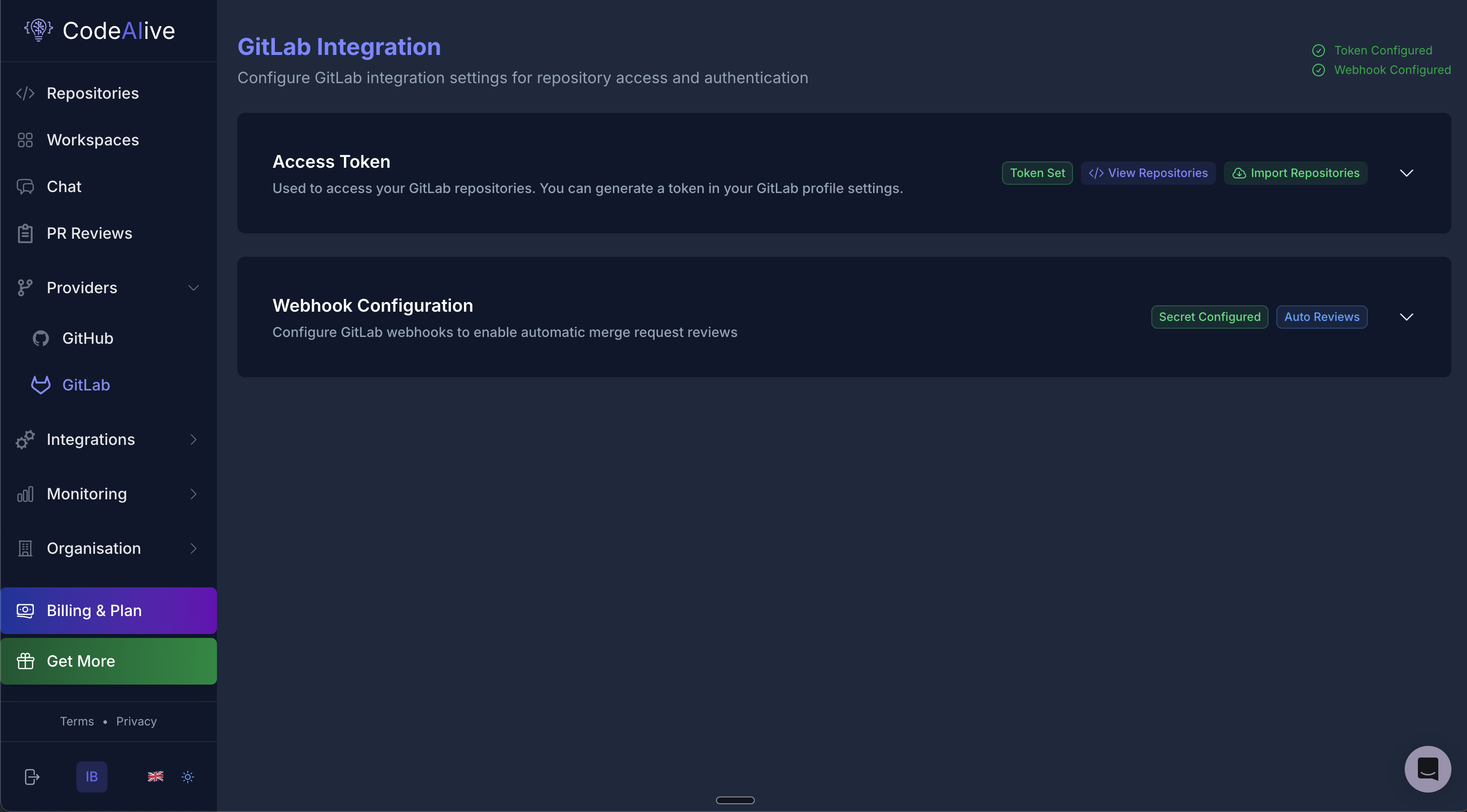
- Navigate to Providers → GitLab in CodeAlive
- Paste your Personal Access Token
- Click “Token Set”
3
Set Up Webhooks
Configure GitLab webhooks for automatic reviews:
- Copy the webhook URL from CodeAlive
- In your GitLab project:
- Go to Settings → Webhooks
- Add the CodeAlive webhook URL
- Select triggers:
- Merge request events
- Comments
- Click “Secret Configured” in CodeAlive
4
Import Repositories
- Click “Import Repositories”
- Select GitLab projects to analyze
- Complete the setup
Review Configuration
Customizing Review Behavior
Access review settings by clicking “Repository Review Configuration” in the PR Reviews section.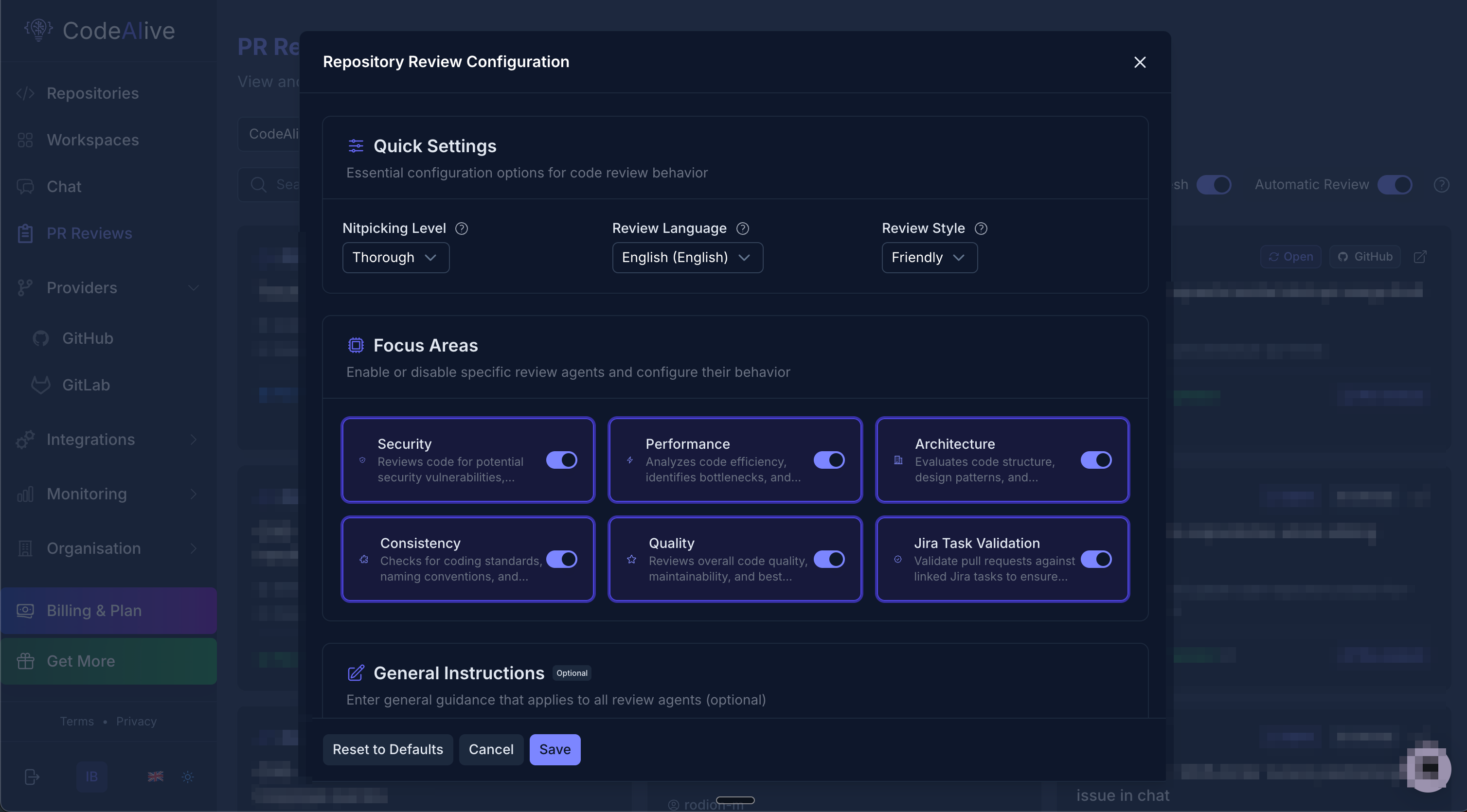
Quick Settings
- Nitpicking Level
- Review Language
- Review Style
Control the detail level of reviews:
- Minimal (1): Critical issues only
- Basic (2): Important problems
- Balanced (3): Comprehensive review (recommended)
- Detailed (4): Include minor issues
- Thorough (5): Every possible improvement
Focus Areas
Enable or disable specific review agents:Security
Security
Reviews code for potential security vulnerabilities, authentication issues, and data exposure risks
Performance
Performance
Analyzes code efficiency, identifies bottlenecks, and suggests optimizations
Architecture
Architecture
Evaluates code structure, design patterns, and architectural decisions
Consistency
Consistency
Checks for coding standards, naming conventions, and style consistency
Quality
Quality
Reviews overall code quality, maintainability, and best practices
Jira Task Validation
Jira Task Validation
Validates pull requests against linked Jira tasks to ensure requirements are met
General Instructions
Add custom guidelines that apply to all review agents. This is useful for:- Team-specific conventions
- Project requirements
- Domain-specific rules
- Compliance standards
Managing Reviews
PR Reviews Dashboard
The PR Reviews page shows all pull requests across your repositories: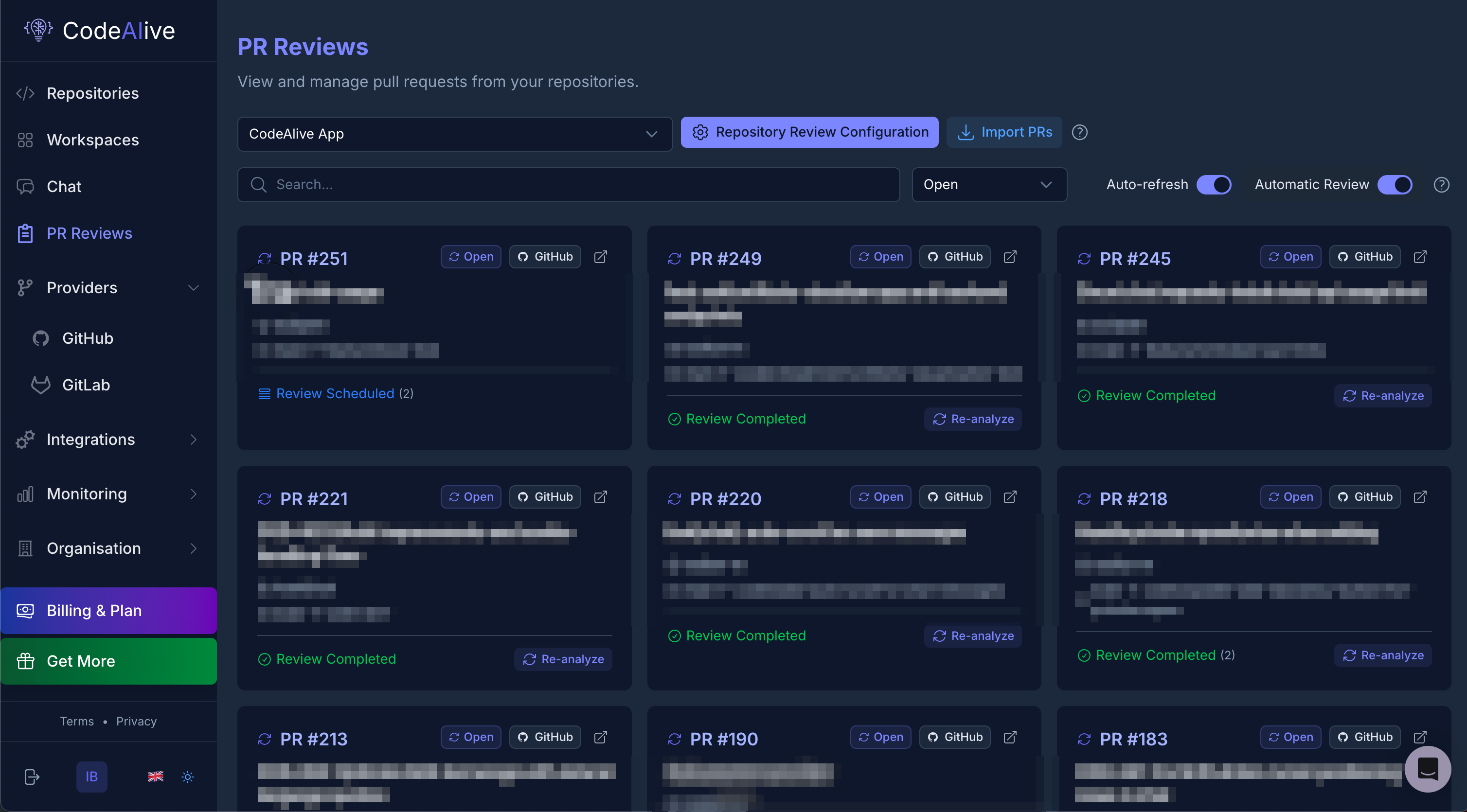
- Repository selector: Filter by repository
- Import PRs: Manually import pull requests
- Auto-refresh: Keep the list updated
- Automatic Review: Toggle automatic reviews on/off
Review States
Pull requests can have the following states:- Review Scheduled: Queued for review
- Review Completed: Review finished successfully
- Re-analyze: Request a fresh review
Triggering Reviews
Reviews can be triggered in multiple ways:- Automatic
- Manual via UI
- PR Comments
Reviews trigger automatically when:
- A new PR is created
- Commits are pushed to an open PR
- PR is updated or edited
Best Practices
Start Balanced
Begin with balanced settings (level 3) and adjust based on team feedback
Customize Gradually
Enable focus areas one at a time to understand their impact
Use Clear PR Titles
Descriptive PR titles help AI understand context better
Iterate on Config
Review and refine settings based on team needs
Set Team Guidelines
Use general instructions for team-specific rules
Monitor Feedback
Track which suggestions are most valuable
Troubleshooting
Reviews not triggering automatically
Reviews not triggering automatically
Check:
- Automatic Review toggle is enabled
- Repository is properly indexed
- Webhooks are configured (GitLab)
- GitHub App has proper permissions
Reviews taking too long
Reviews taking too long
Normal duration: 2-5 minutes depending on PR sizeIf longer:
- Check repository indexing status
- Verify API limits aren’t exceeded
- Contact support if persistent
Missing or incomplete reviews
Missing or incomplete reviews
Verify:
- All files in PR are in supported languages
- PR isn’t too large (>1000 files)
- Repository is fully indexed
- Review configuration is saved
Webhooks not working (GitLab)
Webhooks not working (GitLab)
Steps:
- Verify webhook URL is correct
- Check webhook test in GitLab settings
- Ensure merge request events are selected
- Confirm secret token matches